WEEK 1: Development Environment Setup
What We Are Building Today
The session has five concrete deliverables:
Monorepo foundation —
backend/+frontend/layout, branching conventions (main/develop/feature/*),.gitignore, and conventional-commit hooks ready for team workflowFlask control-plane API — Application factory, versioned blueprints under
/api/v1, environment-based config, and infrastructure endpoints backed by real data—not hard-coded mocksReact Operations Console — TypeScript + MUI dark-theme dashboard (Overview, Servers, Hello World, API Tester) styled like production observability UIs
Data + container layer — PostgreSQL schema and seed inventory, Redis cache-aside, Docker Compose for Postgres, Redis, Adminer, API, and UI
Quality + integration gate — pytest and Vitest suites, pre-commit toolchain (Black, Flake8, ESLint), and a full-stack health loop that proves browser → API → DB → cache → dashboard
GitHub Link: (add repository link)
YouTube Demo Link: (add demo link)
Core Concept: What “Development Environment Integration” Actually Means
Environment setup done as seven disconnected exercises is homework. Environment setup done as one integrated system is engineering.
Development Environment Integration is the discipline of wiring every layer you will use for the next 24 weeks into a single reproducible loop: generate project → install dependencies → run quality gates → start infrastructure → prove end-to-end behaviour on a live dashboard.
The insight most tutorials skip: your health endpoint is not a demo gimmick—it is the contract load balancers, Kubernetes probes, and future Prometheus scrapers will trust. If /api/v1/health reports healthy while Redis is down, every alert and autoscaling decision built on top of it is wrong. Week 1 teaches you to return degraded when dependencies fail, with real latency numbers in the payload, the same way Datadog and Grafana agents surface dependency state before they surface pretty charts.
Today you do not scale to millions of requests. You define the spine: API prefix, health JSON shape, seeded server inventory, .
Where This Fits in the Overall System
The Week 1 integrated build sits at the base of the 180-day arc:
Week 1    Development Environment Setup          ◀ you are here
          Days 1–7 → infrawatch-week1 monorepo
          │
Week 2    Authentication Foundation
          JWT, RBAC, protected routes
          │
Week 3+   Server management, metrics, alerts…
          │
Week 11   Performance Integration (Day 119)
          load tests, Prometheus, SSE dashboard
Week 1 is the platform layer. Nothing in Week 2–25 works without a stable repo, working API, UI shell, database, cache, tests, and health checks. Think of it as the equivalent of a cloud account plus VPC plus CI pipeline—except here the “cloud” is your laptop and Docker.
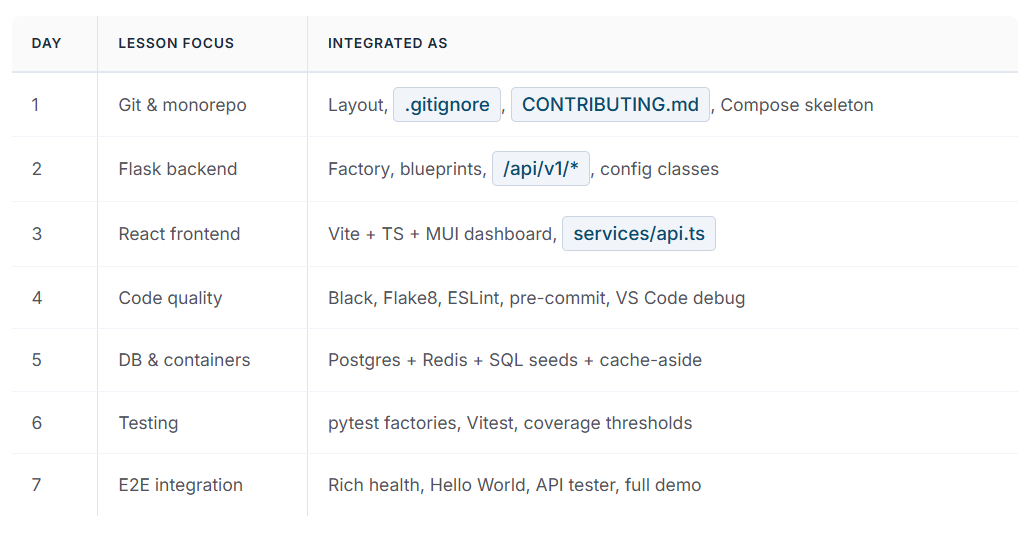
The seven daily lessons (day1–day7 in the reference curriculum) each teach one slice. The Week 1 integrated project (infrawatch-week1/) merges them into one product you can run, test, and push to Git.
Component Architecture
The Four-Layer Model
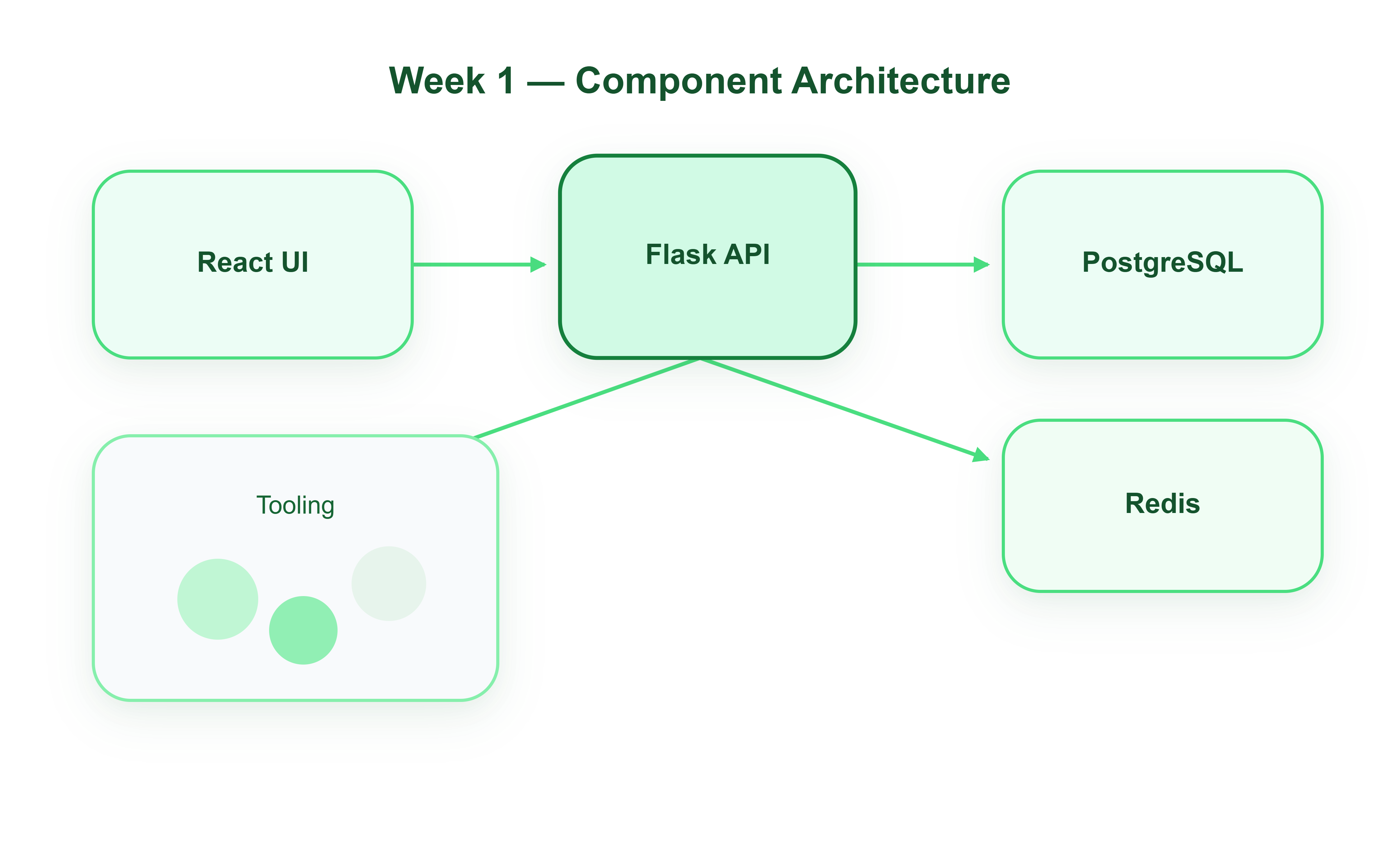
The integrated system is organised into four layers. They connect over HTTP (browser ↔ API) and TCP (API ↔ Postgres / Redis).
Layer 1 — Presentation (React)
The Performance-style Operations Console polls /api/v1/health every five seconds and renders CPU, memory, dependency chips, and application counters. Server rows come from /api/v1/servers. Hello World hits /api/v1/hello and writes a row to PostgreSQL so you can watch hello_count climb on the Overview panel.
Layer 2 — API (Flask)
Blueprints under /api/v1 delegate to a service layer: health.py aggregates psutil + DB ping + Redis ping; server_service.py implements cache-aside reads; routes stay thin so Week 2 auth middleware drops in without rewriting business logic.
Layer 3 — State (PostgreSQL + Redis)
Postgres holds servers (seeded inventory) and hello_logs (integration proof). Redis caches the server list for 30 seconds—your first taste of the read path optimisation you will rely on when metrics volume grows.
Layer 4 — Tooling & runtime (Docker + scripts)docker-compose.yml orchestrates infra and apps. Source code cntains the full tree; build.sh runs tests and starts the stack. This layer is what makes the project reproducible, not merely runnable on one machine.