Day 132: Mobile UI/UX — Building Touch-First Experiences That Scale
What We Build Today
By the end of today you will have a production-grade mobile UI layer bolted onto your Infrastructure Management dashboard — the same kind of interface that tools like Datadog Mobile, PagerDuty, and Grafana Mobile expose to on-call engineers. Specifically:
Mobile-first layout system using CSS Grid and Flexbox with responsive breakpoints
Gesture engine — swipe navigation, pull-to-refresh, long-press context menus
Mobile-optimized forms with inline validation, autofill hints, and numeric keyboards
Touch-friendly dashboard cards showing CPU, memory, and incident KPIs
WCAG 2.1 AA accessibility layer — focus rings, ARIA roles, screen-reader labels
This week’s arc: Day 131 got the app fast (lazy loading, image optimization, caching). Today we make it feel native. Day 133 ties everything together in integration testing.
Where This Fits in the Overall System
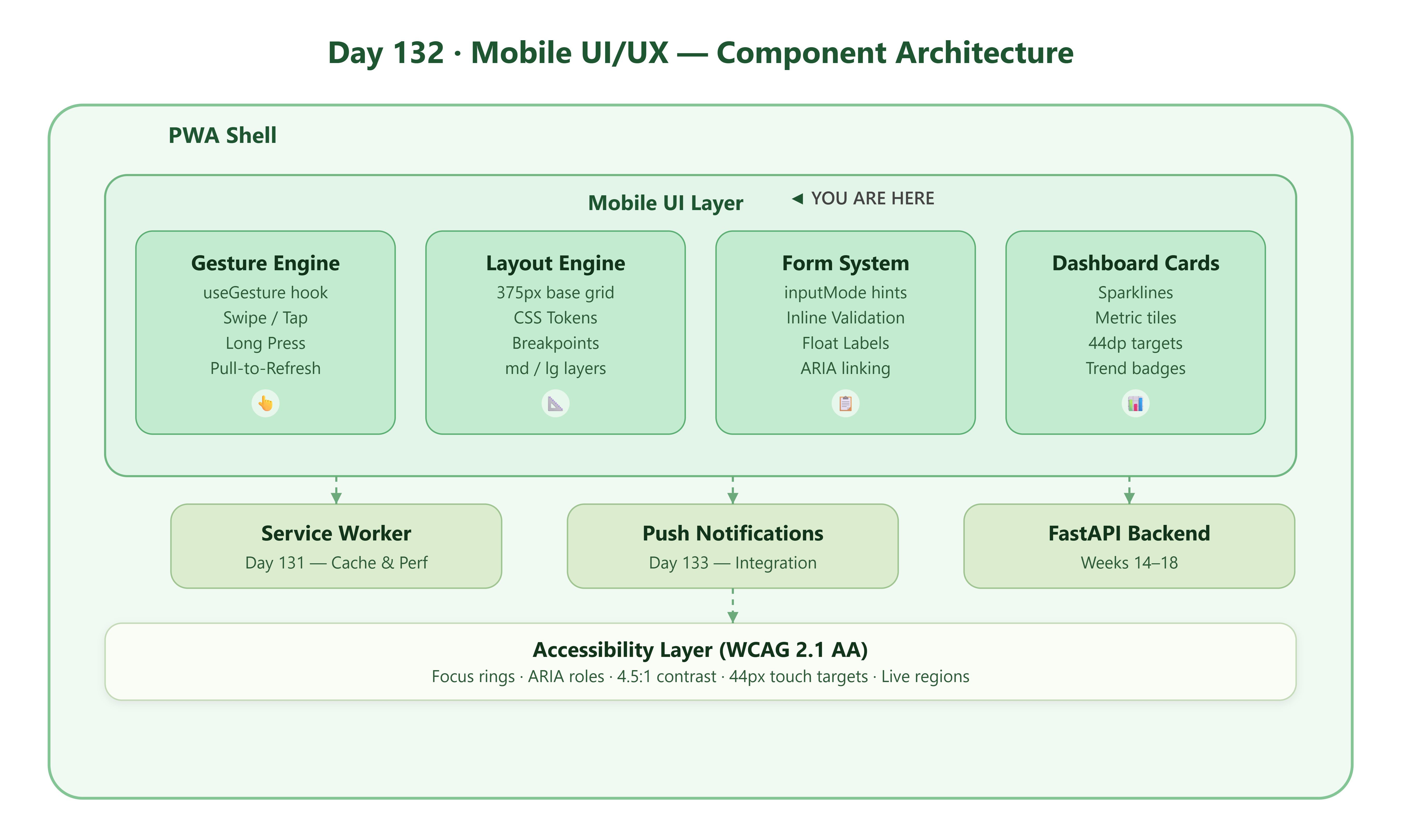
[ React PWA Shell ]
      │
      ├── Mobile UI Layer  ◄── YOU ARE HERE
      │      ├── Gesture Engine (touch events)
      │      ├── Responsive Layout Engine
      │      ├── Accessible Form System
      │      └── Mobile Dashboard Cards
      │
      ├── Service Worker (Day 131)
      ├── Push Notification Handler (Day 133)
      └── FastAPI Backend (Week 14–18)
The mobile UI layer sits between the PWA shell and every user-facing component. It intercepts raw browser touch events and normalises them into semantic gestures (swipe, pinch, long-press) that any child component can subscribe to without knowing touch internals.