

Day 13: React Authentication UI - Building Trust in the Browser
🎯 What We're Building Today
Interactive Authentication Forms with Google Cloud-inspired design and real-time validation
Protected Route System that guards sensitive areas while preserving user navigation intent
Centralized State Management using React Context for authentication across the entire application
User Profile Components with editable information and role-based access control
Robust Error Handling with graceful recovery and user-friendly feedback
Token Management with automatic refresh and secure storage mechanisms
The Authentication UI Challenge
Picture this: You're building the next big distributed application. Users expect seamless login experiences, instant feedback on errors, and interfaces that never break their flow. Yet behind this simplicity lies a complex orchestration of state management, API communication, and security considerations.
Most tutorials teach authentication UI as isolated components. The reality? Authentication UI is your system's first impression and its security gatekeeper. When Netflix instantly recognizes you across devices or when Spotify seamlessly maintains your session during network hiccups, that's sophisticated authentication UI at work.
Component Architecture Deep Dive
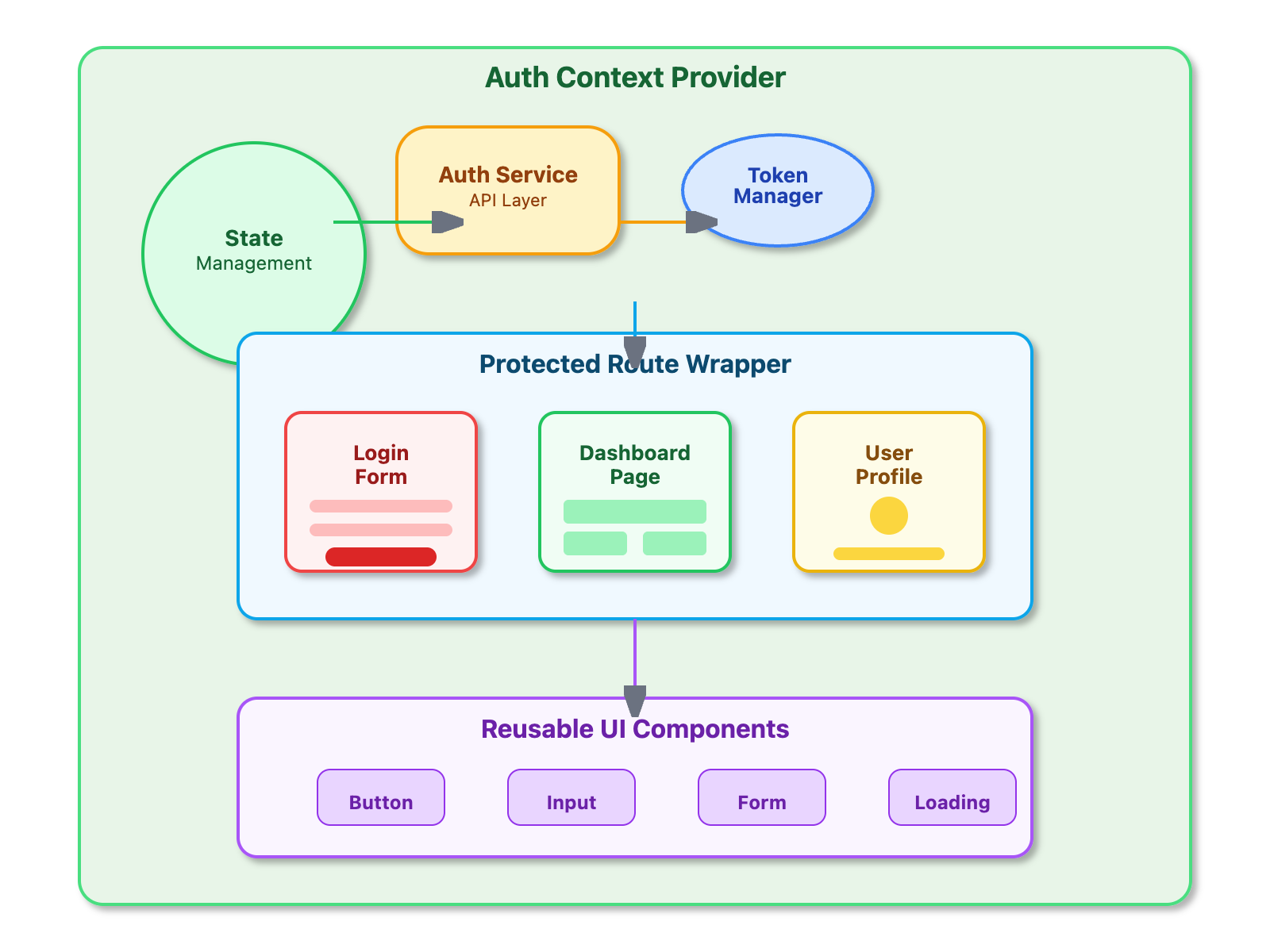
[📊 COMPONENT ARCHITECTURE DIAGRAM ]
